

Description
Mima Menu Builder 2.0 is a Digital Menu + Live Ordering solution for WordPress.
Build a modern, mobile-friendly digital menu and let customers place orders directly from your website. Mima Menu Builder is designed for restaurants, cafes, bakeries, dessert shops, juice bars, food trucks, cloud kitchens, hotels, and other hospitality businesses.
Version 2.0 brings the complete built-in ordering workflow to all users. Customers can browse your menu, select items and add-ons, proceed through checkout, submit an order, and view order status. Restaurant staff can receive and manage incoming orders from the WordPress dashboard.
Mima Menu Builder includes its own ordering system, so WooCommerce is not required for the built-in ordering workflow.
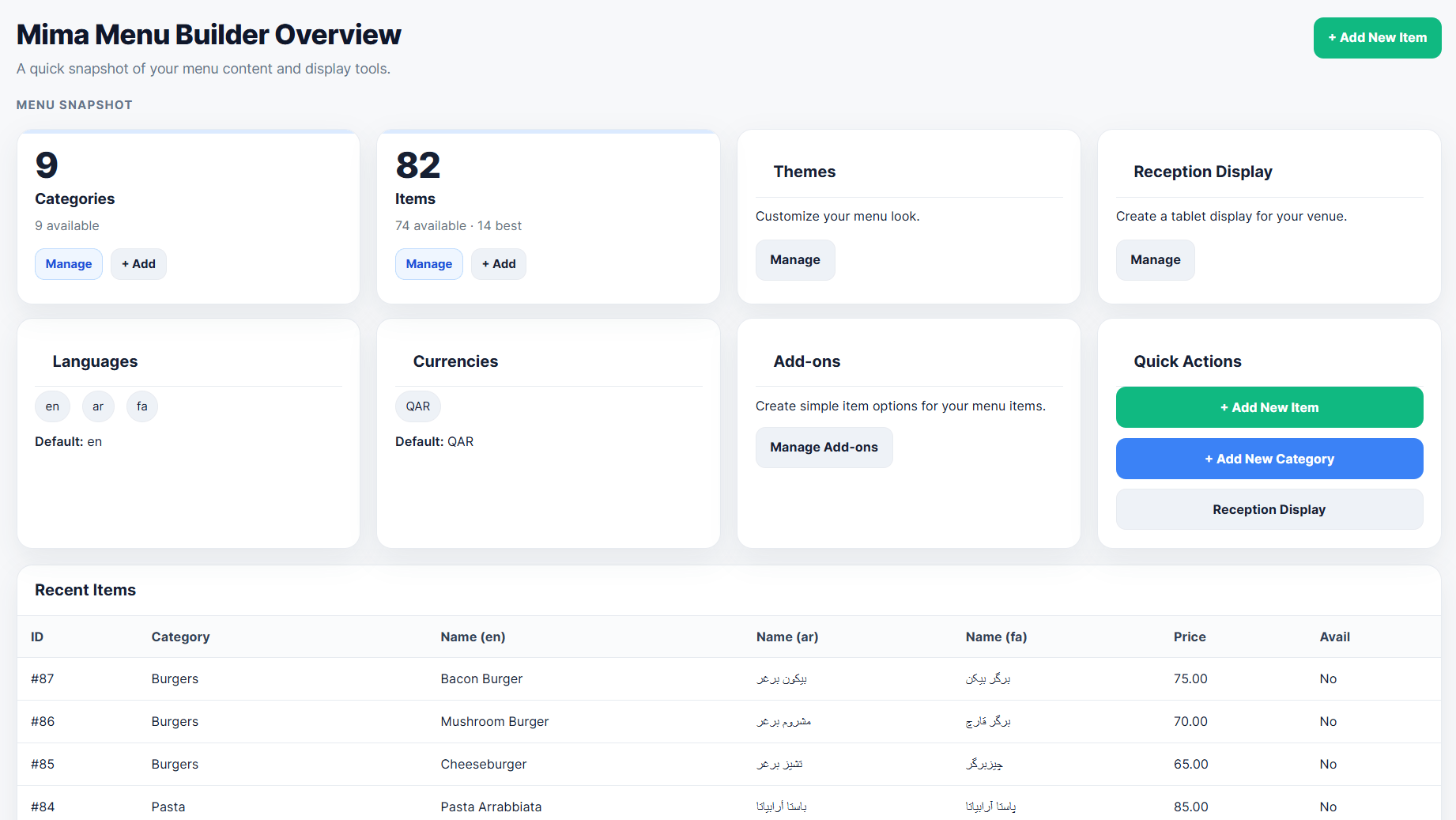
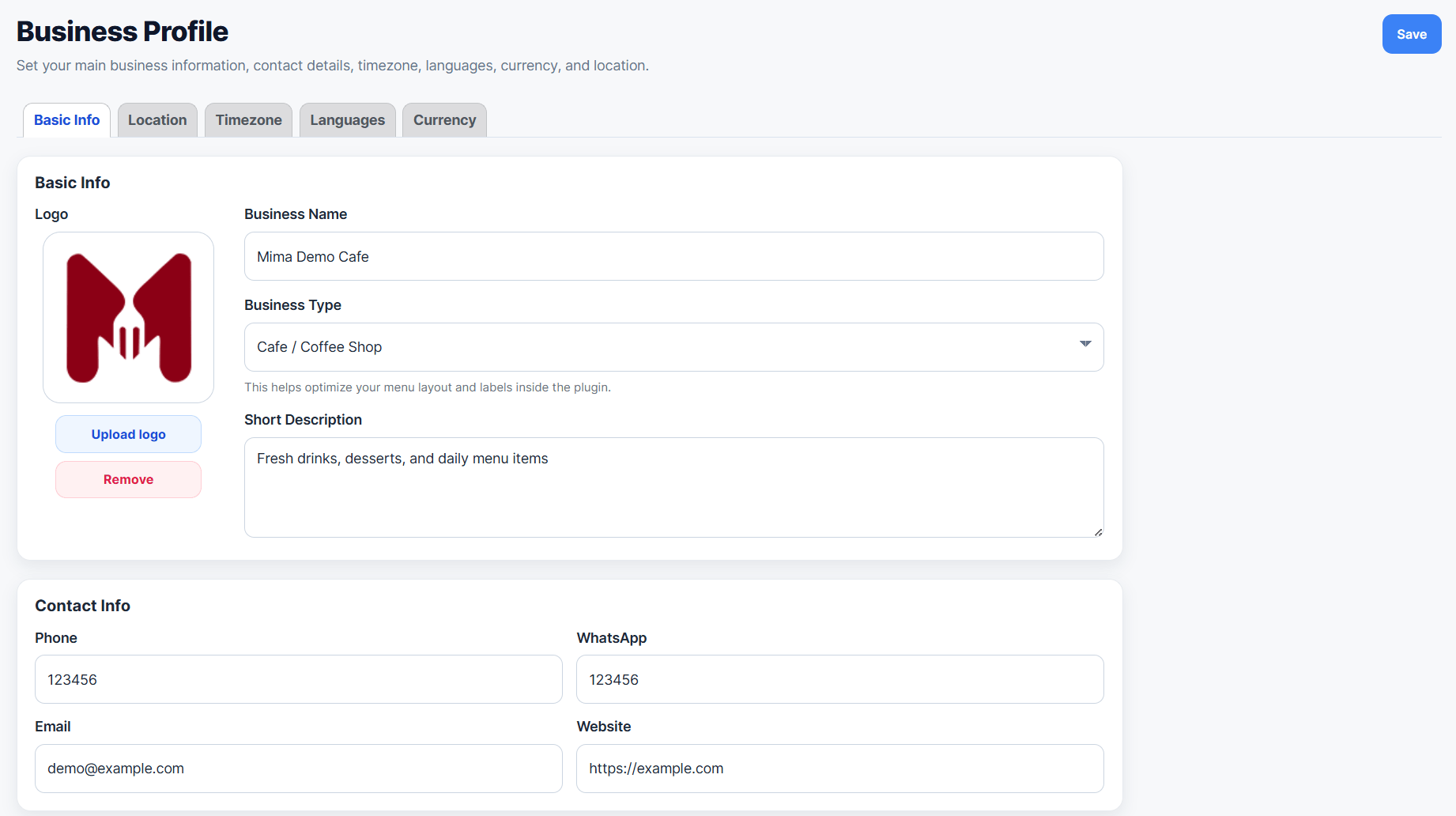
From one WordPress dashboard, you can manage business details, multiple menus, categories, menu items, add-ons, languages, currencies, menu design, ordering settings, delivery zones, working hours, live orders, and order history.
Use the shortcode [mimamenu] to display your default menu on any page, or use a menu-specific shortcode such as [mimamenu id="1"].
New in 2.0 — Live Ordering
- Built-in online ordering for all users
- Live Orders dashboard for incoming customer orders
- Customer checkout flow
- Order status tracking
- Order History
- Delivery Zones
- Working Hours
- Pre-orders
- Thank You screen after successful order submission
- Ordering settings and management tools
Digital Menu Features
- Business profile management
- Multiple menus for dine-in, delivery, catering, events, breakfast, and more
- Menu-specific item selection, active/inactive status, and shortcode
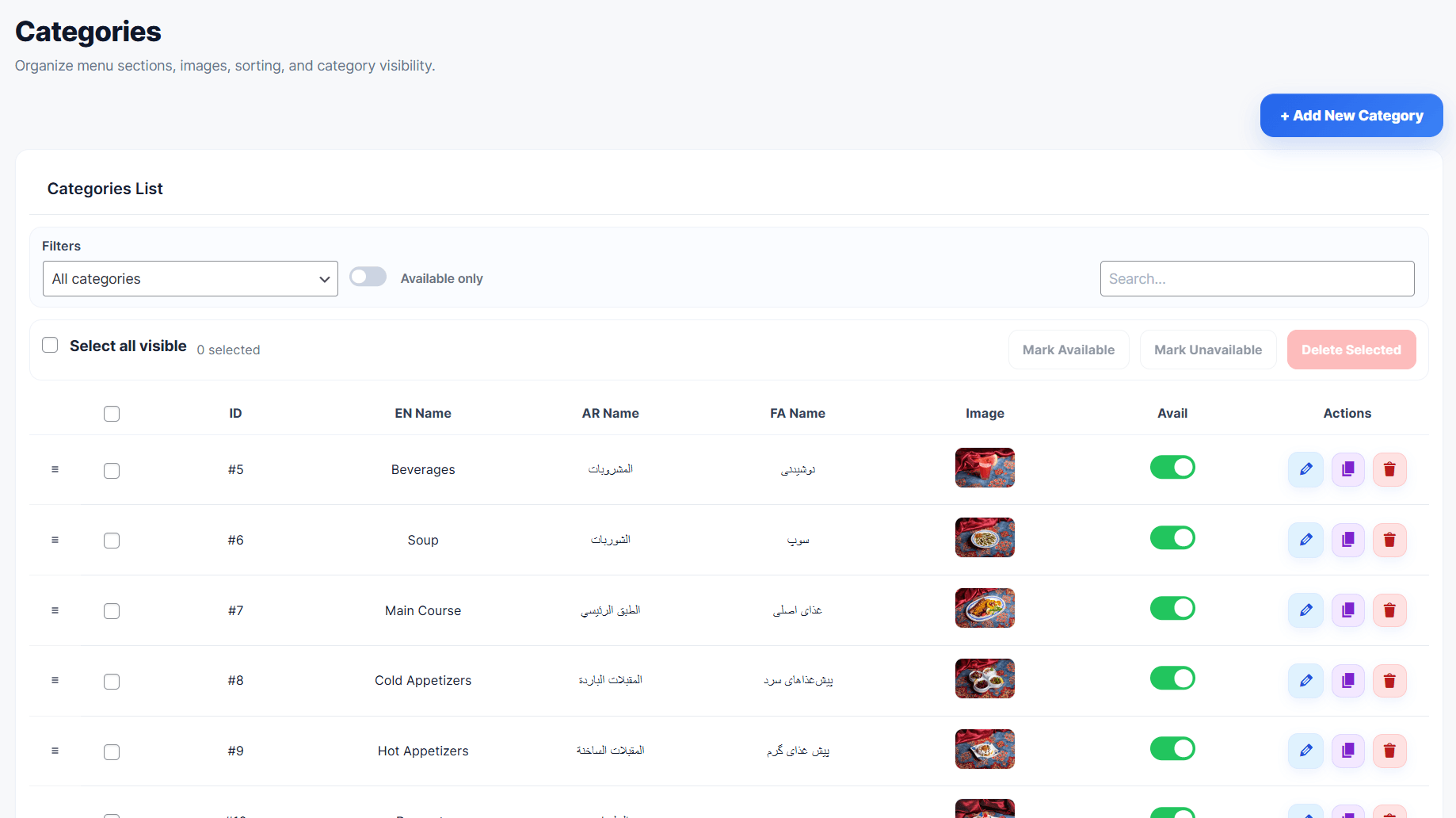
- Menu categories with images, sorting, visibility controls, filters, and bulk actions
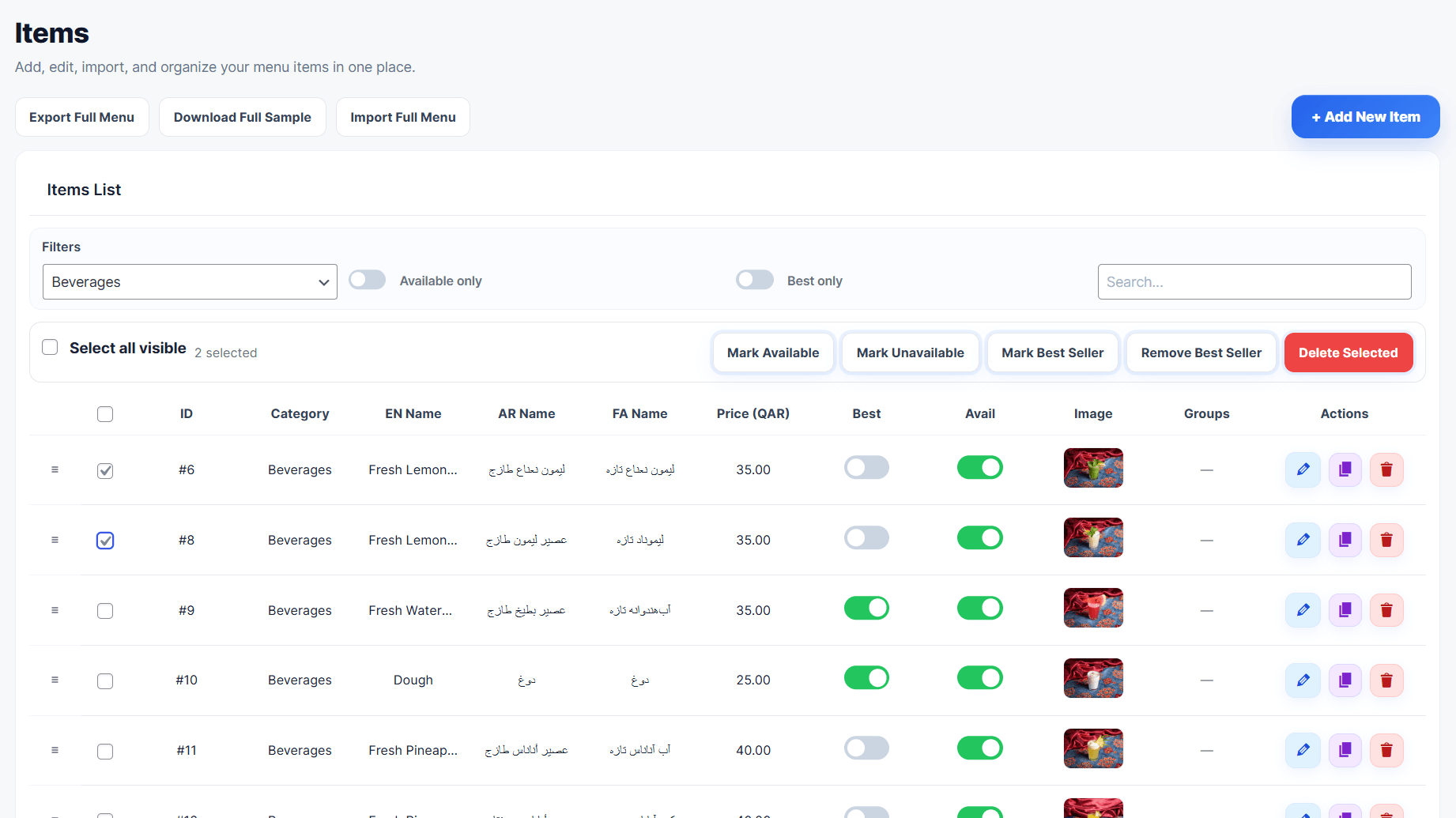
- Menu items with images, prices, descriptions, filters, bulk actions, and duplicate tools
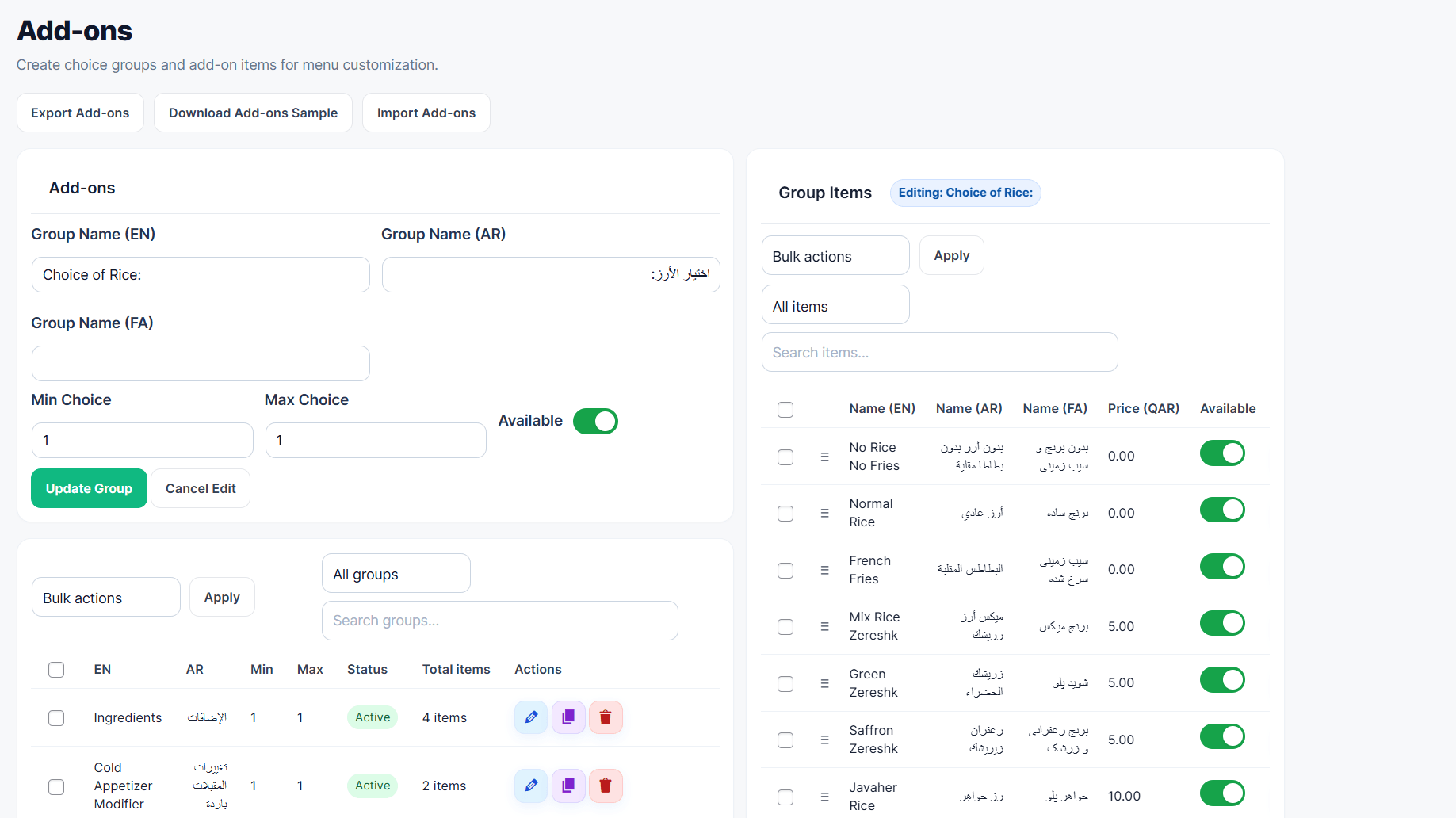
- Add-on groups and add-on items
- Multiple languages
- Multiple currencies and item pricing
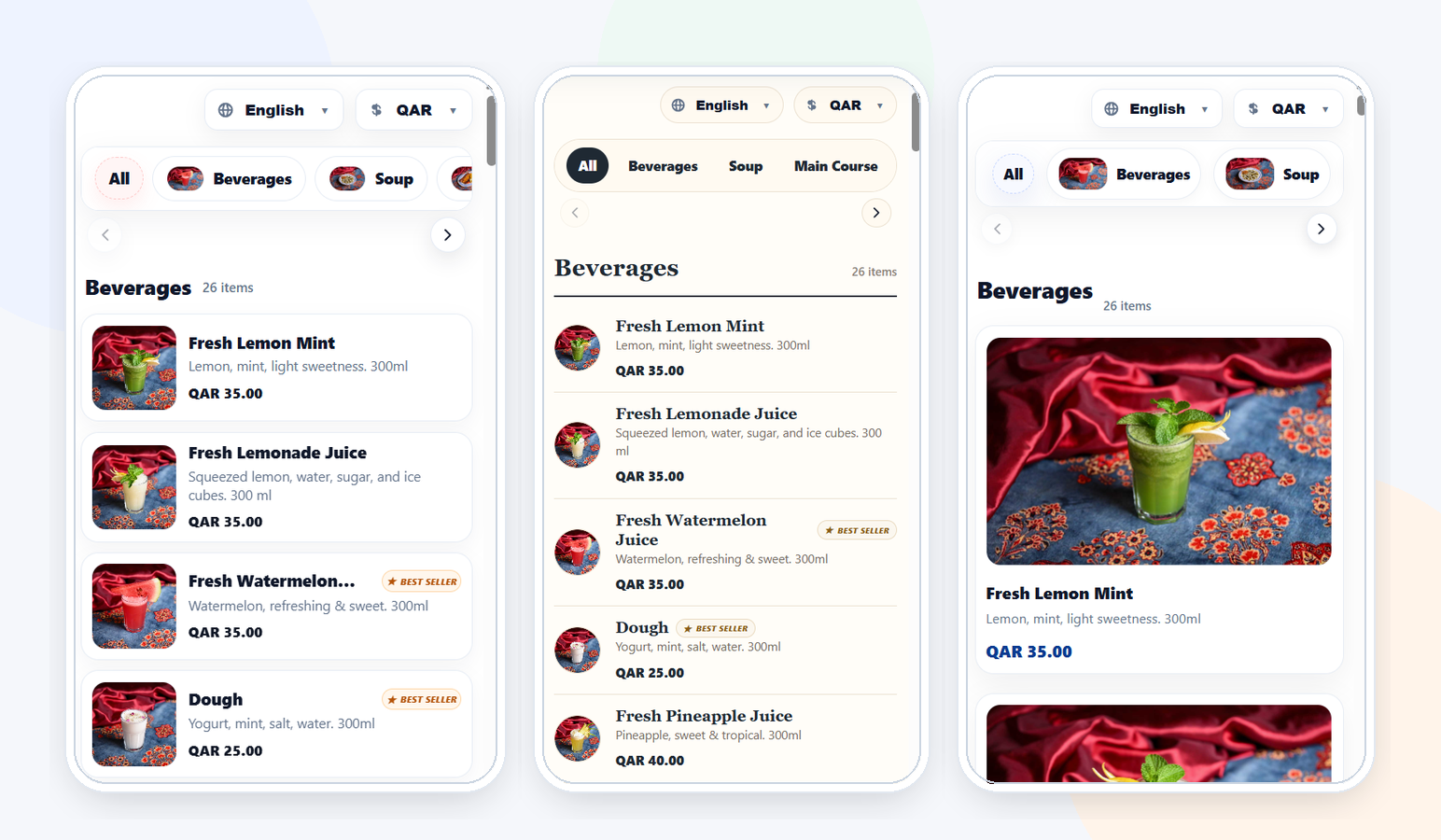
- Theme Customizer with presets, colors, layout, card styles, category bar styles, badges, and top controls
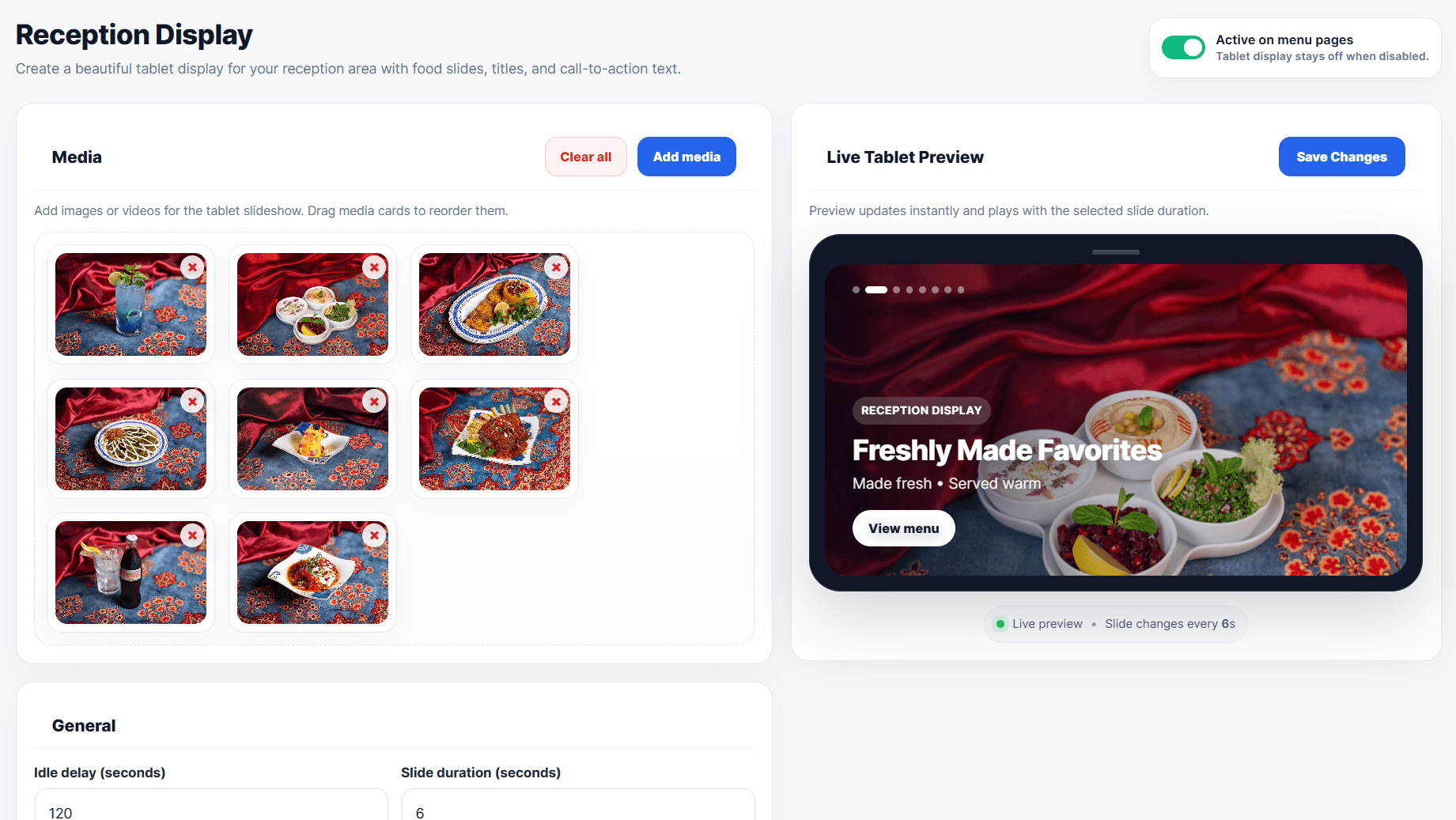
- Reception Display with live tablet preview
- Import and export tools for menu data
- Separate import and export tools for add-ons
- Mobile-friendly front-end menu
- RTL support
- Default shortcode:
[mimamenu] - Menu-specific shortcode:
[mimamenu id="1"]
Built For
- Restaurants
- Cafes
- Bakeries
- Dessert shops
- Ice cream shops
- Juice bars
- Food trucks
- Cloud kitchens
- Hotels and hospitality businesses
- Other food and drink menu-based businesses
Shortcodes
Display your default active menu on any page or post:
[mimamenu]
Display a specific menu:
[mimamenu id="1"]
You can copy each menu shortcode from Mima Menu > Menus.
Screenshots



Installation
- Upload the plugin files to
/wp-content/plugins/mima-menu-builder/, or install the plugin through the WordPress Plugins screen. - Activate Mima Menu Builder.
- Open Mima Menu in the WordPress dashboard.
- Add your business profile, menus, categories, items, add-ons, languages, and currencies.
- Configure your Theme Customizer and ordering settings.
- Add
[mimamenu]or a menu-specific shortcode to a page. - Start displaying your menu and receiving orders.
FAQ
-
No. Mima Menu Builder includes its own digital menu and built-in ordering workflow. WooCommerce is not required for these features.
-
Yes. Starting with version 2.0, customers can place orders directly through the Mima Menu ordering flow.
-
Can I manage incoming orders from WordPress?
-
Yes. The Live Orders dashboard lets restaurant staff receive and manage incoming customer orders from the WordPress dashboard.
-
Can customers view their order status?
-
Yes. Mima Menu Builder includes customer-facing order status functionality.
-
Does it include checkout?
-
Yes. Version 2.0 includes the built-in customer checkout flow used before order submission.
-
Does it support delivery zones?
-
Yes. You can configure delivery zones for your ordering setup.
-
Can I control ordering with business working hours?
-
Yes. Mima Menu Builder includes Working Hours settings for ordering availability.
-
Does it support pre-orders?
-
Yes. Pre-order functionality is included in version 2.0.
-
Yes. You can create separate menus for dine-in, delivery, catering, events, breakfast, and more.
-
Yes. Copy the menu-specific shortcode from Mima Menu > Menus, for example
[mimamenu id="1"]. -
Does it support multiple languages?
-
Yes. You can add and manage multiple menu languages from the Business Profile section.
-
Does it support multiple currencies?
-
Yes. You can manage currencies and item prices from the dashboard.
-
Yes. Mima Menu Builder includes import and export tools for menu data and separate tools for add-ons.
-
Is it mobile friendly?
-
Yes. The front-end menu and ordering experience are designed to work on mobile devices.
-
No. It can also be used for cafes, bakeries, dessert shops, juice bars, food trucks, cloud kitchens, hotels, and other food or drink menu-based businesses.
Reviews
There are no reviews for this plugin.
Contributors & Developers
“Mima Menu Builder” is open source software. The following people have contributed to this plugin.
Contributors
Translate “Mima Menu Builder” into your language.
Interested in development?
Browse the code, check out the SVN repository, or subscribe to the development log by RSS.
Changelog
2.0.0
- Major release: Mima Menu Builder is now a Digital Menu + Live Ordering solution.
- Live Ordering is now available to all users.
- Added Online Ordering so customers can place orders directly from the digital menu.
- Added a Live Orders dashboard for receiving and managing incoming customer orders.
- Added customer Checkout.
- Added customer-facing Order Status tracking.
- Added Order History.
- Added a Thank You screen after successful order submission.
- Added Delivery Zones for configuring delivery availability.
- Added Working Hours to control ordering availability.
- Added Pre-orders.
- Restored all bundled ordering-related admin screens and workflows that were previously unavailable in the public version.
- Updated plugin description and WordPress.org documentation for the new Digital Menu + Live Ordering experience.
- Added WordPress.org screenshot descriptions for the new ordering features.
- Updated WordPress compatibility metadata to Tested up to 7.1.
- Improved plugin packaging so the WordPress.org directory slug remains
mima-menu-builder.
1.6.43
- Updated WordPress compatibility metadata to Tested up to 7.1.
- Packaging corrected so the plugin directory slug remains mima-menu-builder.
1.6.42
- Internal release preparing the bundled ordering features for the public version.
1.6.41
- Major update: Added a full Theme Customizer for Mima Menu Builder.
- Added visual customization controls for menu presets, colors, layout, item cards, category bar, badges, top controls, spacing, borders, radius, and typography-related styling.
- Added live styling controls to help restaurants match the menu design with their brand identity.
- Improved shortcode rendering stability for embedded menus.
- Fixed shortcode height loop issue caused by dynamic iframe height calculation and customizer min-height output.
- Fixed RTL category carousel arrows after switching to Arabic or Persian.
- Removed the sticky category option to keep shortcode scrolling stable across browsers.
- Improved RTL/LTR compatibility for multilingual menus.
1.6.40
- Fixed shortcode iframe height loop caused by the customizer min-height rule.
- Restored safe category filtering scroll behavior and kept category sticky disabled.
1.6.39
- Restored the shortcode iframe height/scroll behavior from the stable 1.5.76 implementation.
- Removed the fixed-height locked parent scroll behavior introduced in the later safe iframe builds.
- Kept the Theme Customizer sticky category option removed for the MVP path.
1.6.38
- Locked the host page scroll for the stable shortcode iframe mode so the visible browser scrollbar no longer conflicts with the hidden iframe scroll.
- The iframe height now fits the remaining viewport under the site header, keeping the MVP embed stable without auto-height or sticky category behavior.
- Added
page_scroll="normal"as an escape hatch for pages that intentionally need normal host page scrolling.
1.6.37
- Reverted the public shortcode to the stable fixed-height iframe embed used in 1.6.29.
- Removed the risky auto-height iframe behavior that could create excessive blank page scrolling.
- Removed the Sticky/Static category position control from Theme Customizer.
- Disabled managed sticky category behavior in the public theme to avoid browser jitter.
1.6.29
- Added stable shortcode modes: safe fixed-height embed and button link to the clean menu view.
- Disabled experimental native shortcode render path for the release candidate.
1.6.21
- Fixed top control dropdown layout and RTL category arrow scrolling.
1.6.20
- Reworked the front-end language and currency controls as custom dropdowns so they open reliably in Firefox and embedded previews.
- Kept Top Controls Auto, Show, and Hide behavior while preserving the existing preference reload logic.
- Improved preference control state syncing for language and currency changes.
1.6.13
- Separated the sticky save bar from the Presets section heading.
- Improved Best Seller Badge style output for Solid, Soft, and Outline.
- Added small badge style previews to the admin selection cards.
1.6.10
- Removed the bottom Theme Customizer status/roadmap cards, including the Pro Features placeholder, for a cleaner settings page.
1.6.9
- Improved quick mobile preview header actions and expanded preview desktop/tablet alignment.
1.6.7
- Added Top Controls settings for Language Selector and Currency Selector.
- Added Auto, Show, and Hide visibility modes for language and currency controls.
- Auto mode hides selectors when only one language or currency is available.
1.6.5
- Redesigned Color Settings into a compact, organized control grid.
- Reduced color swatch size and removed oversized always-visible color inputs.
- Kept color labels and hex values visible without making each color card too large.
1.6.4
- Removed Category Alignment from Theme Customizer because the category bar should always stay scrollable and reliable.
- Added Category Corners controls for rounded, soft, and sharp category chips.
- Added Category Images controls to show or hide category thumbnails independently.
- Improved Underline and Minimal category layouts so they keep a readable framed background when sticky.
1.5.99
- Reset the frontend category filter to All on every page load.
- Removed persistent category URL hashes after category selection.
1.5.98
- Category change now moves the active menu back to the top reliably.
- Improved category navigation click behavior so selecting a category snaps to the start of that section with the sticky bar offset applied.
- Improved scrolling behavior inside direct menus, live preview, and iframe contexts.
1.5.92
- Improved category sticky behavior to avoid jump in direct menu and live preview scroll contexts.
- Limited JavaScript sticky fallback to host-scroll iframe contexts only.
1.5.91
- Removed the floating top gap from sticky category bars.
- Adjusted the sticky fallback placeholder to reduce scroll jumps when the category bar becomes fixed.
1.5.90
- Fixed category bar sticky jump by preserving the original category bar space while the JS fallback is active.
1.5.88
- Improved category bar sticky behavior for both internal preview scrolling and iframe/parent page scrolling.
1.5.87
- Improved Category Bar sticky behavior with a safe JavaScript fallback for iframe/direct preview scrolling.
1.5.85
- Added safe Category Bar Style controls to Theme Customizer with live preview for position, layout, alignment, size, active style, and shadow.
- Extended saved settings, preview URLs, CSS variables, and app classes to include category bar styling.
1.5.84
- Added safe Card Style controls to Theme Customizer with live preview for card layout, image size, corners, shadow, border, and hover behavior.
- Extended preview URLs and saved settings to include card style options.
1.5.83
- Added Theme Customizer UX polish with Reset to Default, Desktop/Tablet/Mobile preview modes, expanded preview modal, and a renamed View action.
- Improved Theme Customizer action buttons for a more polished admin experience.
1.5.82
- Added safe Layout Settings to the Theme Customizer with live preview for content width, desktop columns, mobile density, section spacing, and item gap.
1.5.81
- Improved Theme Customizer color controls with the native WordPress color picker.
- Kept instant live preview, preset reset, and safe HEX color validation.
1.5.80
- Added safe Color Settings to Theme Customizer with instant live preview, reset to preset, and CSS variable output.
1.5.76
- Added support for creating and managing multiple menus.
- Added menu-specific shortcode support.
- Added menu-specific theme selection.
- Added item assignment by category for each menu.
- Added active/inactive status for menus.
- Added duplicate menu action.
- Added shortcode copy button.
- Improved the Menus admin page UI and UX.
- Fixed inactive menu shortcode fallback behavior.
- Improved Plugin Check compatibility.
1.5.67
- Updated plugin metadata to mark compatibility with WordPress 7.0.
- Kept the fullscreen reception display fix from version 1.5.66.
1.5.64
- Fixed shortcode inconsistency issue.
- Fixed automatic menu page creation shortcode.
- Added backward compatibility for the old shortcode.
1.5.63
- Fixed category saving when creating the first item on a fresh installation.
- Improved first-save handling for item category and price columns.
1.5.62
- Simplified the admin sidebar by keeping language management inside Business Profile.
- Improved the free version navigation for a cleaner dashboard experience.
1.5.61
- Improved the overview dashboard with better menu management insights.
- Improved categories management with stronger filters, bulk actions, and duplicate actions.
- Improved items management with advanced filters, bulk actions, duplicate actions, and a cleaner workflow.
- Added full menu import and export tools for easier menu management.
- Improved smart export structure for menu data.
- Improved add-ons management UI.
- Added separate import and export tools for add-ons.
- Improved the themes page with a more professional design and live preview.
- Added two new menu themes.
- Redesigned the Reception Display page.
- Added Live Tablet Preview for Reception Display.
- Improved admin page titles and header consistency.
- Improved overall UI and UX across the plugin dashboard.
- Improved front-end menu behavior.
- Fixed multiple bugs and improved stability.
- Improved RTL support and admin interface consistency.
- Passed Plugin Check with no errors.
1.4.1
- Fixed security nonces across admin pages.
- Improved sanitization and validation for AJAX requests.
- Improved WordPress compatibility information.
- Reduced tags and optimized the readme format for WordPress.org.
- General performance and UI improvements.
1.4.0
- Initial public release.
- Improved i18n and text-domain loading.
- Minor UI improvements and performance optimization.