

Description
Free WordPress Toolkit for Demo Import, Backup & Restore, Site Migration, Search & Replace and Site Reset
Demi is an all-in-one WordPress site management plugin that makes it easy to import demo content, create and restore backups, migrate websites, search & replace content, and reset your site.
It brings demo content uploading, website backup and restore, website migration, database search & update, and area reset into a single, lightweight tool so that you now do not want to juggle several separate plugins to control your WordPress website online.
Whether you’re launching a brand-new website or maintaining an existing one, Demi offers you the essential tools to deal with the most commonplace WordPress obligations immediately out of your dashboard, without complicated manual steps or command-line work.
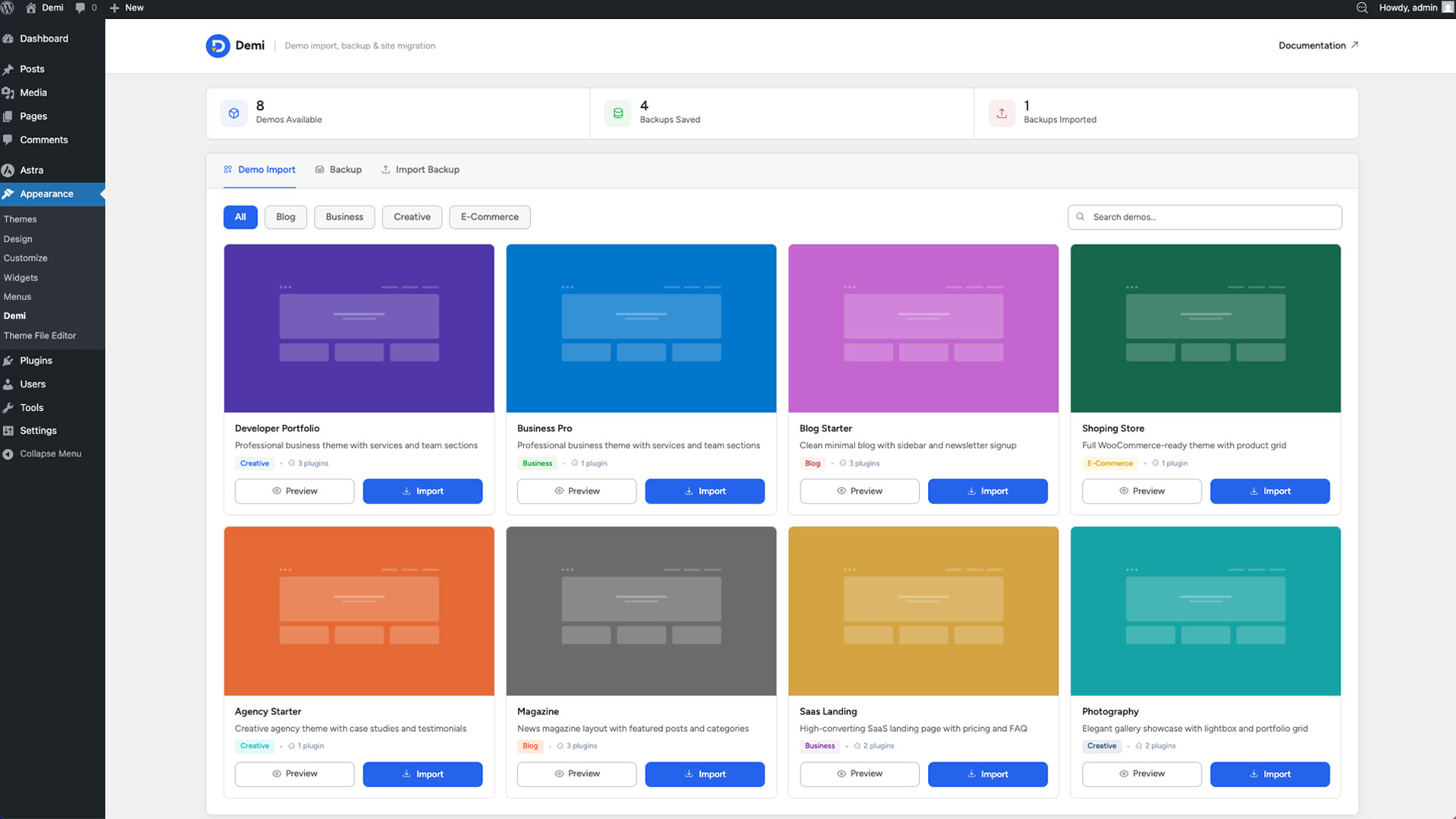
WordPress One-Click Demo Import
Get a ready-to-use website up and running in minutes with Demi’s one click demo import feature. It turns a clean WordPress setup into a complete starter website importing pages, posts, media, widgets, menus, and settings in a single step.
Theme developers can use Demi to offer their own WordPress starter templates and predefined demo websites, giving clients a smoother, more professional onboarding experience right out of the gate.
WordPress Backup & Restore
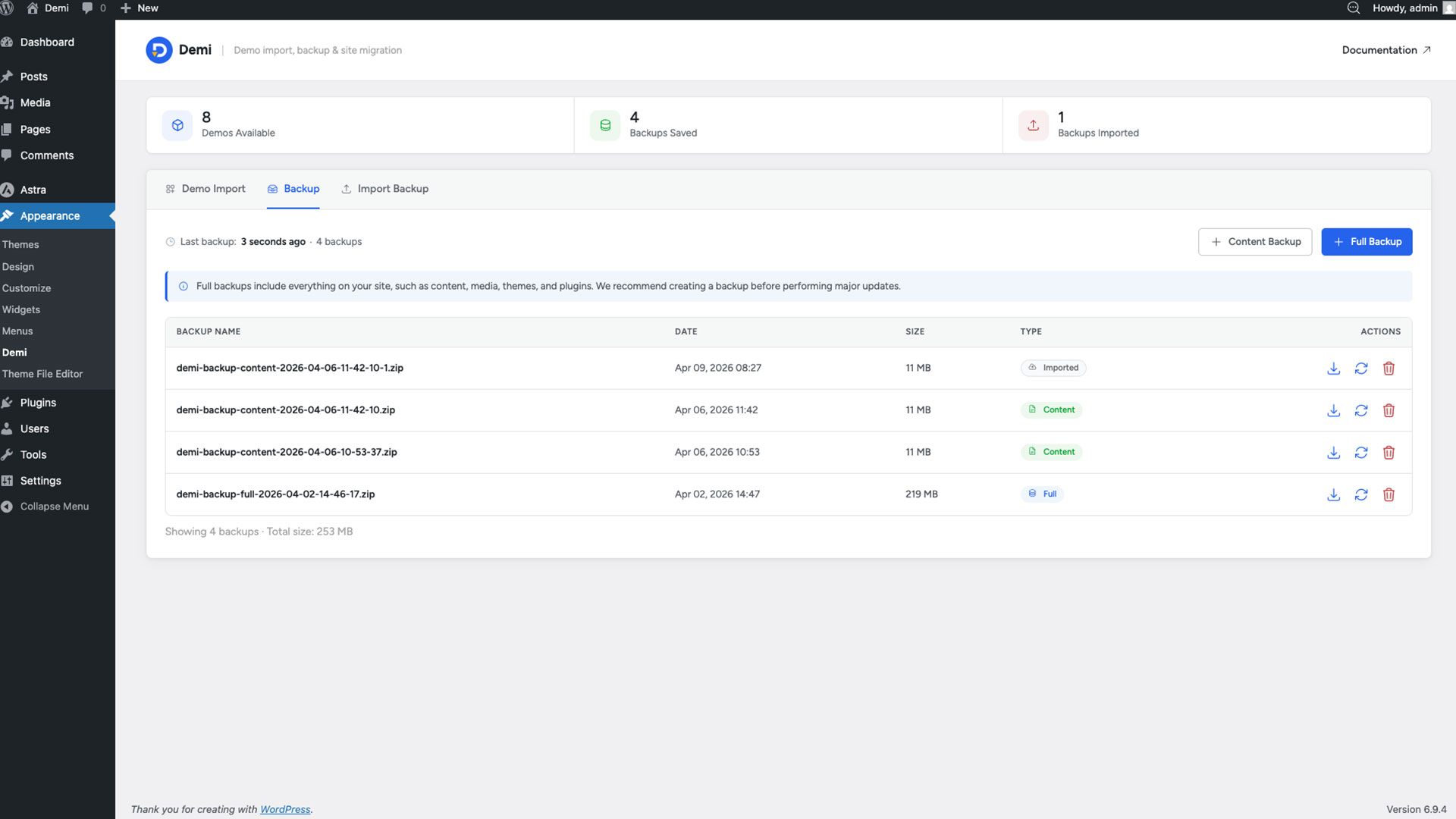
Create and manage WordPress backups directly from your dashboard. As a complete WordPress backup and restore solution.
Choose between:
- Content Backup – Back up your WordPress content and database.
- Full Backup – Back up your entire WordPress website, including files and database.
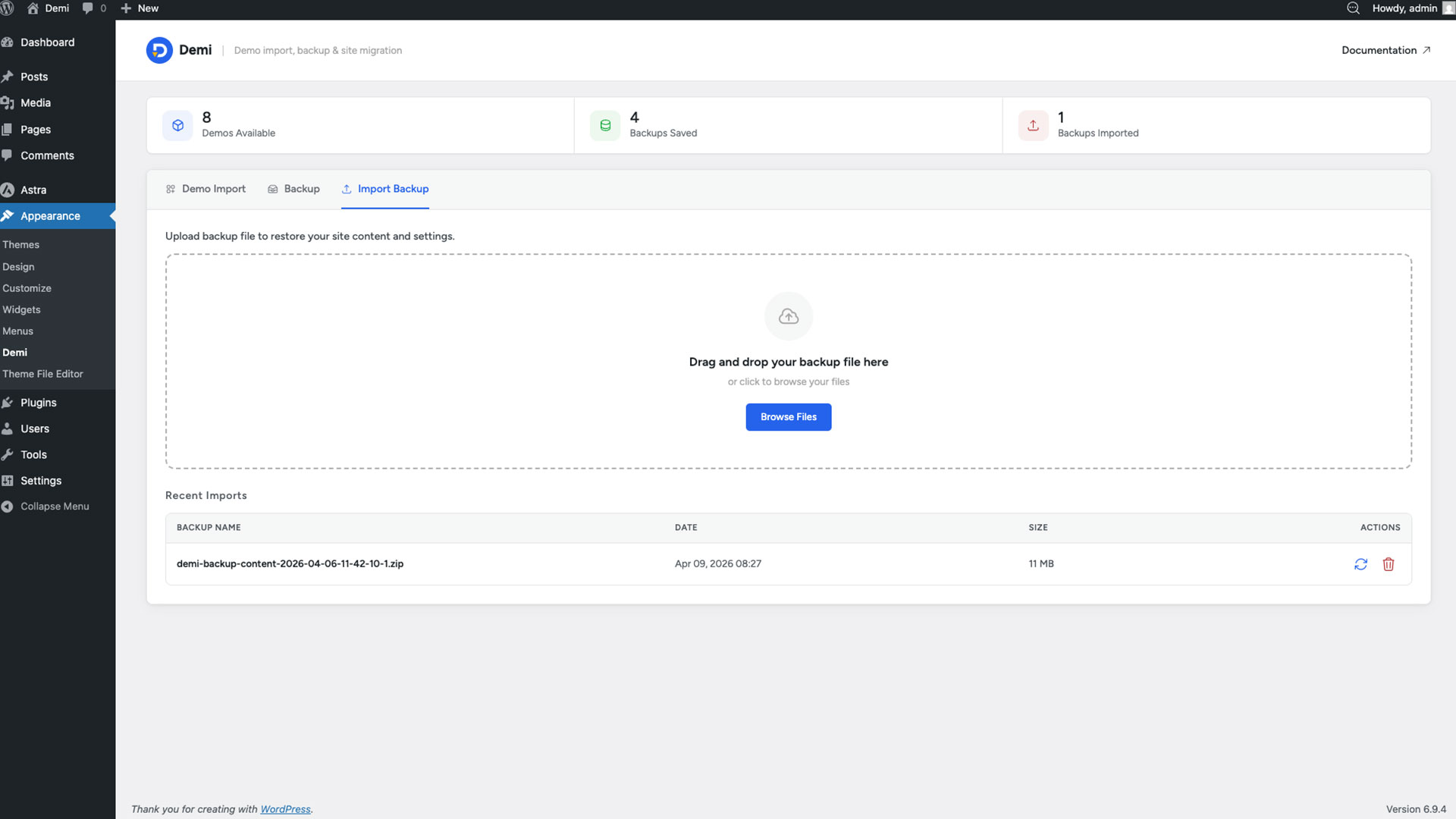
- Restore – Restore your website from a previously created backup.
You can keep multiple backups on hand and restore your site whenever needed. Demi is designed to work as the best WordPress backup plugin candidate for users who also want migration and demo import built in all from one dashboard, without installing extra add-ons.
WordPress Site Migration
Move your WordPress website from one server or domain to another in minutes with Demi’s built-in WordPress site migration tool. It handles the complete process for you, removing the need for complicated manual database and file operations. This makes it easy to migrate your site safely and quickly.
Use it to:
- Move a website to a new hosting provider.
- Move a website to a new domain.
- Clone a WordPress website to another WordPress installation.
- Transfer website files and the database in one process.
Demi is built to be an all-in-one migration and backup solution for anyone who needs to move a WordPress site without the hassle.
Search & Replace
Find and replace text across selected WordPress database tables, especially useful for updating URLs after a migration or changing other database values in bulk.
The search and replace tool includes:
- Dry run mode to preview matches before modifying the database.
- The option to select individual tables or search across all available tables.
- Case-sensitive matching.
- Whole-word matching.
- Regular expression support.
- Safe handling of serialized data, so values are correctly unpacked and re-packed.
- Optional GUID column handling.
WordPress Site Reset
Reset specific parts of your WordPress site, or perform a complete reset. Reset actions are irreversible, so always create a backup before proceeding. Available options include:
- Reset Plugins – deactivate and delete plugins and remove their data and settings.
- Reset Themes – Remove installed themes and revert to the default WordPress theme.
- Clean Media Library – Delete uploaded media files from the media library.
- Reset Database – Reset the database while keeping the administrator account intact.
- Full Site Reset – Wipe plugins, themes, media, and database data for a fresh installation.
Built for WordPress Developers
Demi is designed to be useful for everyday WordPress users and developers alike. Theme developers can use the demo import feature to offer starter websites. Agencies and freelancers can rely on the backup, migration, search & replace, and reset tools as part of their regular workflow.
Demi also fits naturally alongside the other tools already in your stack — including WordPress security plugins, SEO plugins, and performance tools like WP-Optimize. It also works well for WordPress ecommerce sites that need reliable backups and safe migrations before launch.
Key features:
- One-click demo import
- Content backup
- Full website backup
- Backup restore
- WordPress site migration
- Database search & replace with dry run mode
- Serialized data support for search & replace
- Selective WordPress site reset
- Full WordPress site reset
- Developer-friendly hooks and filters
Screenshots


Installation
Minimum Requirements
- WordPress 6.5 or greater
- PHP version 8.0 or greater
- MySQL version 5.0 or greater
Recommended Requirements
- PHP version 8.0 or greater
- MySQL version 5.6 or greater
- WordPress Memory limit of 64 MB or greater (128 MB or higher is preferred)
Installation
- Install using the WordPress built-in Plugin installer, or Extract the zip file and drop the contents in the
wp-content/plugins/directory of your WordPress installation. - Activate the plugin through the ‘Plugins’ menu in WordPress.
- Navigate to: Appearance Demi
- Now you can use the demi features like one-click demo import, backup & restore, and site migration.
For documentation and tutorials visit our Knowledge Base.
FAQ
-
What is Demi plugin?
-
Demi is an all-in-one WordPress plugin that allows you to import demo content, create backups, and migrate websites from a single interface.
It is designed for developers, agencies, and website owners who want a faster and simpler workflow. -
How do I install Demi?
-
To install the Demi, follow the steps below:
From your WordPress dashboard -> Go to Plugins -> Click on ‘Add new’-> In the Search field, enter Demi and choose Demi.
Press install -> After installation, click Activate. -
How does the one click demo importer work?
-
Demi’s one click demo importer allows you to instantly import complete demo websites including pages, posts, media, widgets, menus, and theme settings.
This helps you launch a ready-made website within minutes. -
Is Demi suitable for theme developers?
-
Absolutely. Demi provides developer-friendly hooks and filters that allow theme authors to register demo imports and customize workflows for their users.
-
Can I use Demi for WordPress site migration?
-
Yes, Demi includes a built-in site migration tool that allows you to move your website from one domain or server to another.
It transfers your database, plugins, themes, and uploads safely. -
Does Demi support full website backups?
-
Yes, Demi lets you create full WordPress backups including database and files.
You can store multiple backups and restore your site anytime with ease.
Reviews
There are no reviews for this plugin.
Contributors & Developers
“Demi – One Click Demo Import, Backup & Site Migration” is open source software. The following people have contributed to this plugin.
Contributors
Translate “Demi – One Click Demo Import, Backup & Site Migration” into your language.
Interested in development?
Browse the code, check out the SVN repository, or subscribe to the development log by RSS.
Changelog
0.1.2 – 2026-08-27
- Added two new hooks to the demo import process, triggered when the demo import is completed.
0.1.1 – 2026-08-18
- Added Search & Replace functionality for updating database values across selected WordPress tables.
- Added Reset functionality to reset selected parts of a WordPress site or perform a full site reset.
- Added safety options and confirmations to help prevent accidental database changes and irreversible reset operations.
0.1.0 – 2026-07-30
- Introduced a major backup and restore architecture update to improve reliability, performance, and compatibility.
- Important: Backups created with previous versions are not compatible with this release. Please create a new backup before using the updated restore process.
- Added a pre-flight system requirements check to verify available disk space, file permissions, and database health before starting a restore.
- Improved database restoration with automatic duplicate key conflict handling for a more reliable import process.
- Enhanced the restore error dialog with improved responsiveness, automatic text wrapping, better scalability for long messages, and cleaner modal dismissal.
- Fixed several restore workflow issues and made overall stability and performance improvements.
0.0.9 – 2026-07-14
- Eliminated Unauthenticated Access Points.
- Enforced Mandatory WordPress Authentication & Session Validation.
- Shifted Secrets out of the Web Root.
- Hardened Path Checks and Directory Cleanup.
- Hardened File Destination Checks.
0.0.8 – 2026-07-08
- Added directory access protection rules inside the temporary folder to secure files from direct web access.
- Optimized temp storage requirements by instantly zipping and deleting the database dump before copying website files.
0.0.7 – 2026-07-02
- A random string has been added to the backup filename, which will help improve security by making the backup URL harder to guess.
0.0.6 – 2026-06-02
- Added user import functionality for both content-only and demo imports.
- Enhanced security controls implemented to protect backup resources from unauthorized access.
0.0.5 – 2026-05-21
- Fixed the demo plugin activation issue after the demo import process is completed.
0.0.4 – 2026-05-19
- Handle fatal errors more efficiently and display them after demo data import.
- Updated status when the plugin is already installed and active.
- Fixed datetime option after demo data import.
0.0.3 – 2026-04-15
- Fixed database restore failures on older MySQL/MariaDB servers by normalizing unsupported collations (e.g.
utf8mb4_0900_ai_ci) to supported fallbacks
0.0.2 – 2026-04-14
- RTL (Right-to-Left) support added
- Added functionality to restrict demo imports using custom conditions
0.0.1 – 2026-03-18
- Initial Release