
Description
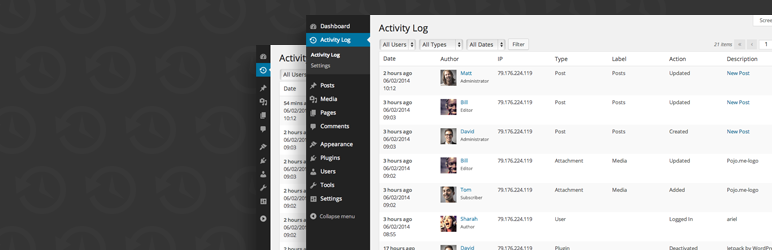
An easy to use, fully supported WordPress activity log plugin.
Want to know exactly who does what on your WordPress site? Activity Log works like an airplane’s black box: it quietly records every action in the WordPress admin — and now every request made through the REST API, WP-CLI, WP-Cron, and more — so you always know:
- If someone is trying to hack your site
- When a post was published, and who published it
- If a plugin/theme was activated/deactivated
- Suspicious admin activity
The plugin doesn’t require any setup; it works right out of the box, runs on its own database table so it doesn’t slow down your site, and stays out of your way until you need it.
What’s New
- Request Source Tracking – See exactly where each change came from: the WP Admin, the REST API, WP-CLI, WP-Cron, XML-RPC, or the WP Abilities API, including which Application Password was used. Filter the log by source to quickly spot automated or API-driven changes alongside manual admin activity.
- Email Logging – Capture all emails sent from your WordPress site for streamlined debugging and compliance. Especially useful for WooCommerce stores tracking order emails alongside other site events.
- Export to CSV – Export your Activity Log data to CSV, or build support for your own format with our dedicated Export API.
- Data Privacy and GDPR Compliance – Export or erase log data directly through the WordPress Privacy Tools.
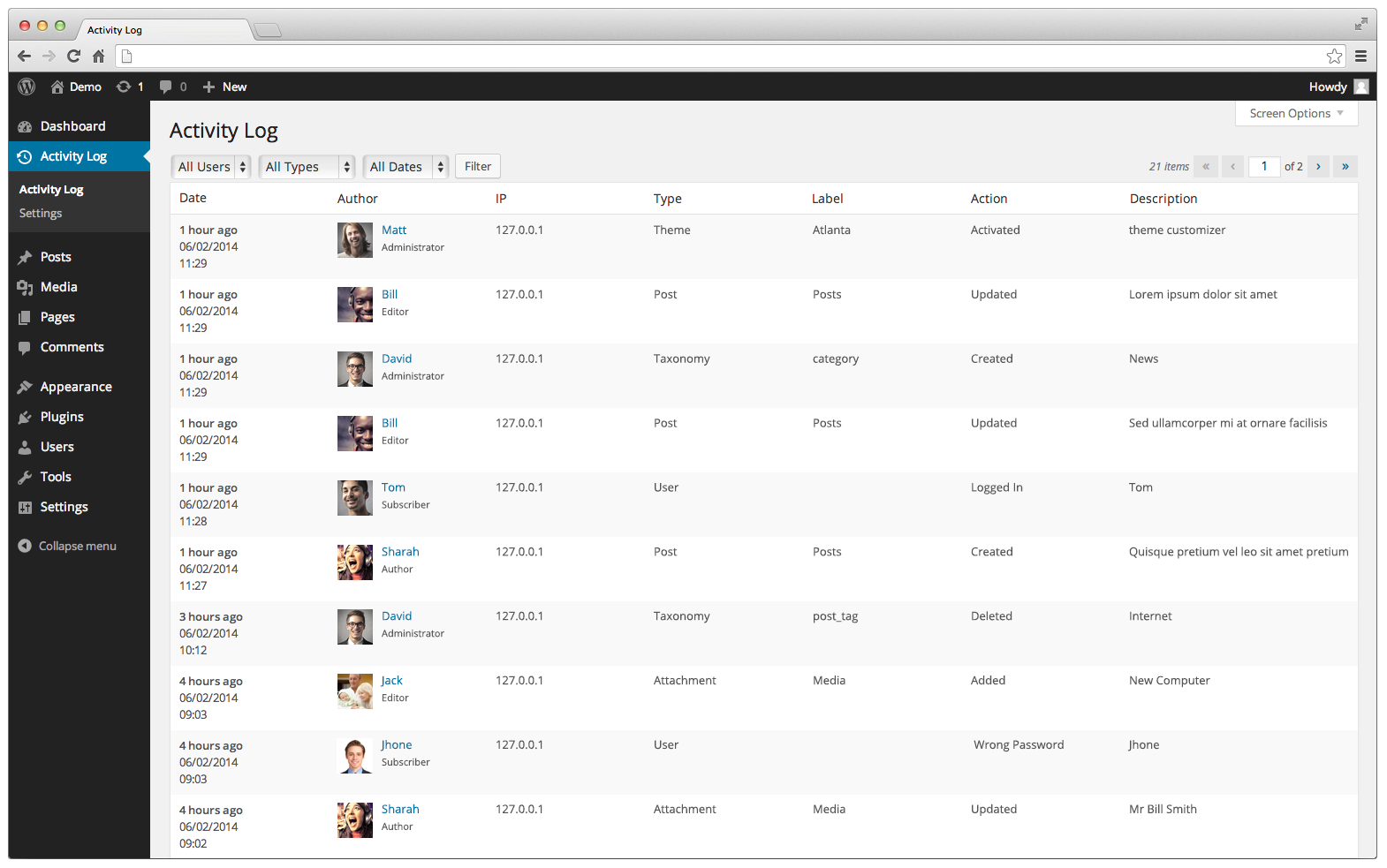
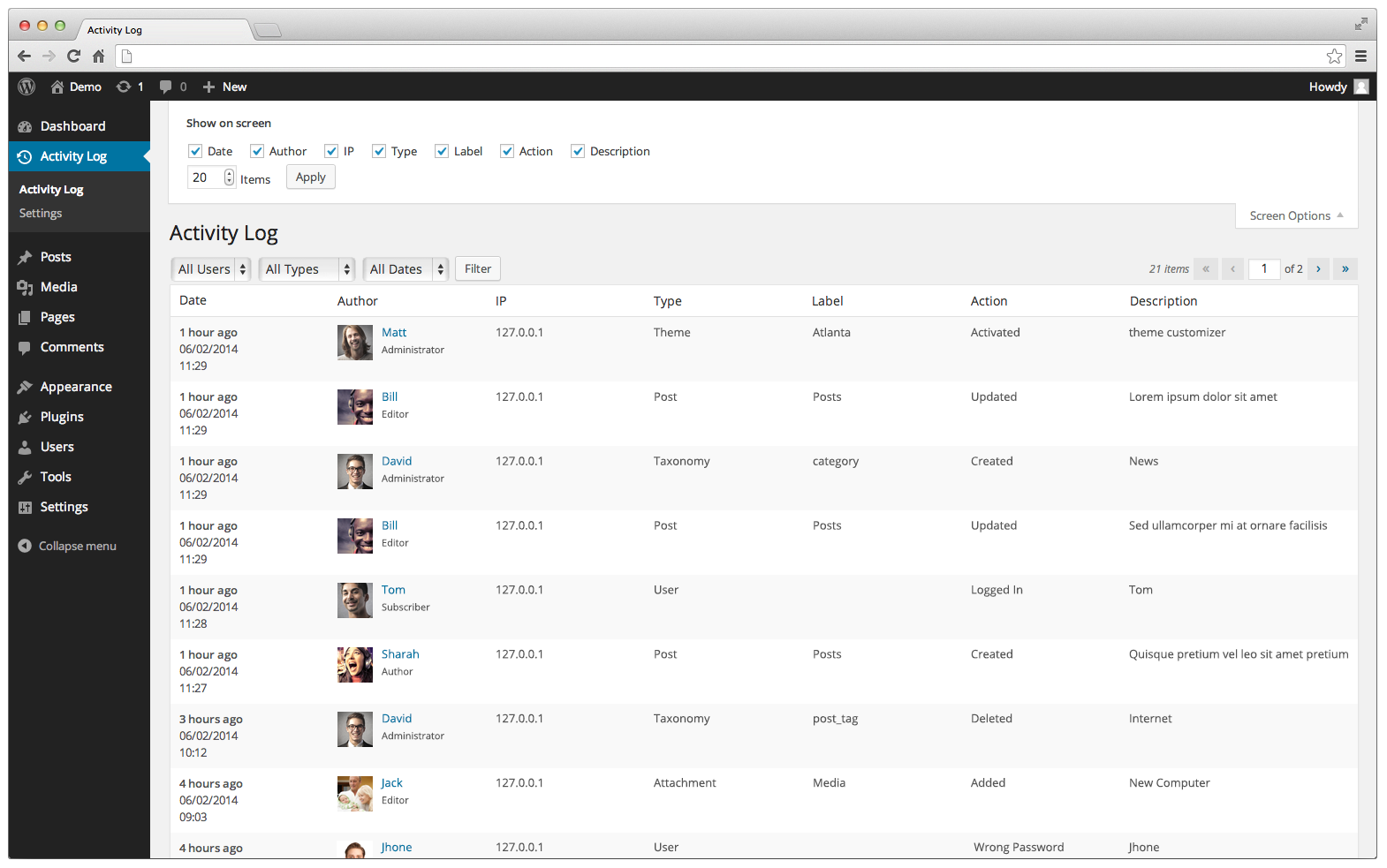
If you have more than a handful of users, keeping track of who did what by hand is virtually impossible. Activity Log solves that by tying every action back to the user who triggered it, in an easy-to-filter view on the Activity Log screen and in a Recent Activity timeline on the WordPress dashboard.
With the Activity Log you can record:
- WordPress – Core updates
- Posts – Created, updated, deleted
- Pages – Created, updated, deleted
- Custom Post Type – Created, updated, deleted
- Tags – Created, updated, deleted
- Categories – Created, updated, deleted
- Taxonomies – Created, updated, deleted
- Menus – Created, updated, deleted
- Media – Created, updated, deleted
- Comments – Created, approved, unapproved, trashed, untrashed, spammed, unspammed, deleted
- Users – Login, logout, login failed, update profile, role changed, registered, deleted
- Plugins – Installed, updated, activated, deactivated, changed
- Themes – Installed, updated, deleted, activated, changed (Editor and Customizer)
- Widgets – Added to sidebar, deleted from sidebar, order widgets
- Setting – General, writing, reading, discussion, media, permalinks
- Options – Extended custom settings for 3rd party plugins
- Export – Exported activity log file
- Request Source – WP Admin, REST API, WP-CLI, WP-Cron, XML-RPC, WP Abilities, and Application Password name when used
- AI Agents – Lets AI agents read your logs on WordPress 6.9 or later, once you turn it on in the settings. They can query logs, summarize activity, and detect suspicious events like repeated failed logins, new or promoted administrator accounts, and changes to sensitive settings.
- WooCommerce – Track products, orders, customers, and more
- bbPress – Forums, topics, replies, taxonomies, and other actions
- Emails sent from WordPress site – Sending successful, sending failed
- Dashboard Widget – Recent activity timeline on the WordPress dashboard (for users who can view the log), grouped by day, with load more and a link to the full log
- There’s more, of course, but you get the point…
For each event recorded by the activity log, the following details are also logged:
- Date and time of occurrence
- User and user role responsible for the change
- Source IP address from which the change originated
- Request source — WP Admin, REST API, WP-CLI, WP-Cron, XML-RPC, or WP Abilities
- Affected object where the change occurred
- Old and new values for changed settings, posts, users, user roles, comments, plugin versions, themes, WordPress core version, widgets, and terms, with secret values redacted and long values truncated
Data Storage and Performance
All events are stored in a dedicated custom database table, keeping the impact on your site’s performance to a minimum — even under heavy traffic.
Uninstall Clean-up
Uninstalling the plugin removes all of its data from your database automatically, leaving nothing behind.
What users have to say
- “Its tools, particularly for data privacy and GDPR compliance, make it indispensable for websites operating within European Union boundaries or dealing with EU citizens’ data” – HubSpot.com
- “If you’re after a competent WP security audit log plugin with all the basic features you need, Activity Log is it!” – WPAstra.com
- “Activity Log features a remarkably straightforward dashboard interface, providing administrators with an at-a-glance understanding of site interactions” – Malcare.com
- “Thanks to this step, we’ve discovered that our site was undergoing a brute force attack” – Artdriver.com
- “Activity Log lets you track a huge range of activities. Overall, very easy to use and setup” – ElegantThemes.com
Contributions:
Would you like to contribute to this plugin? You’re more than welcome to submit your pull requests on the GitHub repo. And, if you have any notes about the code, please open a ticket on the issue tracker.
Screenshots
Installation
- Upload plugin files to your plugins folder, or install using WordPress’ built-in Add New Plugin installer
- Activate the plugin
- Go to the plugin page (under Dashboard > Activity Log)
FAQ
-
Requirements
-
Requires PHP 7.4 for list management functionality.
-
What is the plugin license?
-
This plugin is released under a GPL license.
-
Will this slow down my site?
-
No. Activity Log stores every event in its own dedicated database table instead of mixing into WordPress’ core tables, so logging has minimal impact on your site’s performance, even under heavy traffic.
-
Can I export logs?
-
You can easily export logs with Activity Log. We also support exporting filtered results. Filter by the time the action took place, roles, users, options, action type, and more.
-
Can I see where a change came from?
-
Yes. Each log entry records its Request Source, so you can tell whether a change was made through the WP Admin, the REST API, WP-CLI, WP-Cron, XML-RPC, or the WP Abilities API. If the request was authenticated with an Application Password, its name is shown as well. Use the Source filter on the log screen to narrow results down to a specific channel.
-
Can I see exactly what changed?
-
Yes. For settings, posts, users, user roles, comments, plugin versions, themes, WordPress core version, widgets, and terms, Activity Log stores the old and new value of each changed field and shows them in the log entry details. Secret values such as passwords and API keys are redacted, and long values are truncated to keep the log table small.
-
Can AI agents read my activity log?
-
Yes, if you turn it on in the settings. On WordPress 6.9 or later, Activity Log adds read-only abilities through the WordPress Abilities API, so AI agents can query logs, summarize activity, and detect suspicious events such as repeated failed logins, newly registered administrators, existing users promoted to administrator, and changes to sensitive settings.
-
How long are logs kept?
-
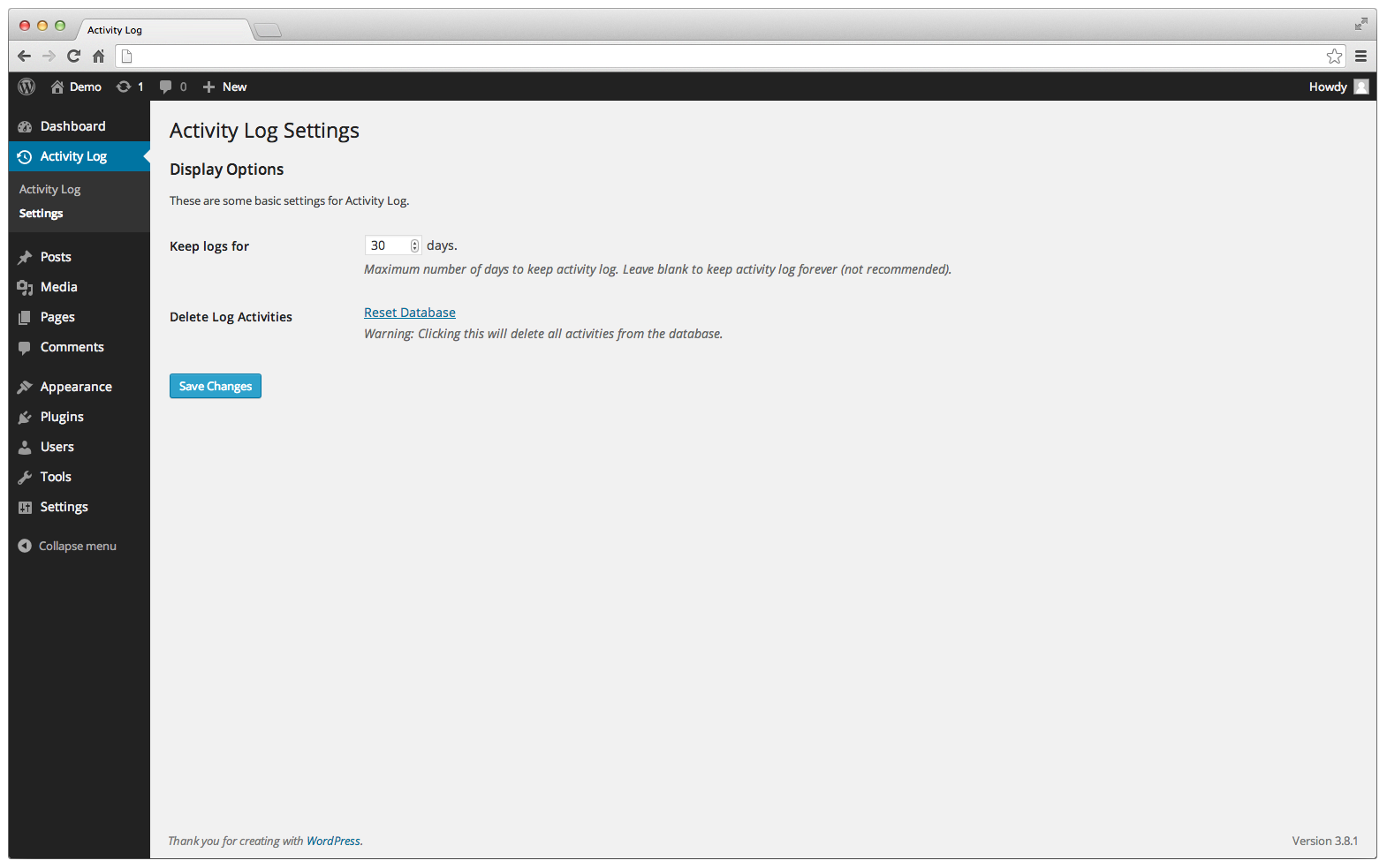
By default, logs are kept for 30 days, but you can set your own retention period from the settings page — from a few days to forever. Failed login attempts and email logs can also be kept or discarded independently.
-
Do I have to collect visitor IP addresses?
-
No. If you’d rather not store IP addresses for privacy reasons, set the “Visitor IP Detected” option to “Do not collect IP” and the IP column will be hidden going forward.
-
Does this work on WordPress Multisite?
-
Yes. Activity Log fully supports Multisite, logging activity per site and cleaning up its data correctly when a site is removed from the network.
-
Does this work with WooCommerce?
-
Yes. Products, orders, and customers are tracked right out of the box, since Activity Log records changes across any post type and taxonomy — no extra setup needed.
-
Can I exclude specific events from being logged?
-
Yes. Beyond the built-in toggles for failed logins and email logs, developers can hook into the
aal_skip_insert_logfilter to skip logging for any event on demand. -
How can I report security bugs?
-
You can report security bugs through the Patchstack Vulnerability Disclosure Program. The Patchstack team help validate, triage and handle any security vulnerabilities. Report a security vulnerability.
Reviews


Contributors & Developers
“Activity Log – Monitor User and Agent Changes” is open source software. The following people have contributed to this plugin.
Contributors


“Activity Log – Monitor User and Agent Changes” has been translated into 32 locales. Thank you to the translators for their contributions.
Translate “Activity Log – Monitor User and Agent Changes” into your language.
Interested in development?
Browse the code, check out the SVN repository, or subscribe to the development log by RSS.
Changelog
2.18.0 – 2026-10-28
- New: Anonymize a user’s activity log entries through the WordPress personal data eraser
- New: Log application password and password reset events
- New: Log theme and plugin file editor changes
- New: Added the wp activity-log WP-CLI command with list, stats and erase subcommands
- New: Incremental log fetching with after_id in the REST API and abilities
- New: Export logs as JSON Lines, also available via wp activity-log list –format=jsonl
- Tweak: Log an entry when all activity logs are erased
- Tweak: Run old logs cleanup hourly instead of daily so large sites catch up faster
- Tweak: Export logs in batches to support large sites
- Tweak: Add ISO time, user ID, object ID and action key columns to the CSV export
- Fix: Use proper plural forms for change, item and field counts in translations
- Fix: Keep translated action labels exactly as translators wrote them
- Fix: Log user events as Unknown user when the user no longer exists
- Fix: Log the correct name and version for single-file plugins and folders with several plugins
- Fix: Personal data export now completes for users with many log entries
- Fix: Log role changes made by adding or removing a single role, and detect users promoted to administrator with several roles
- Fix: Different events logged in the same second are no longer dropped as duplicates
- Fix: PHP 8.4 deprecation notices flooding the debug log during CSV export
- Fix: Keep log IDs increasing after erasing all logs, so incremental after_id fetching keeps working
2.17.0 – 2026-10-25
- New: Show old and new values for settings, posts, users, user roles, comments, plugin versions, themes, WordPress core version, widget and term changes
- New: Recent activity timeline widget on the WordPress dashboard
- Tweak: Detect existing users promoted to administrator
- Tweak: Limited daily old logs cleanup to 50,000 rows per run to avoid timeouts on large sites
- Tweak: Added translator comments for log action and option keys
- Tweak: Faster duplicate log check on large tables
- Fix: Store actual WordPress role instead of first user cap for role filtering
- Fix: Skip logging editor preference saves as profile updates
2.16.0 – 2026-10-18
- New: Suspicious events detection ability for AI agents
- New: Activity summary ability for AI agents
- New: Read-only Abilities API support for AI agents (WP 6.9+)
- New: Setting to expose activity log to AI agents
- Tweak: Exclude IP addresses from ability responses
- Tweak: Added schema and ISO-8601 time to the REST logs endpoint
- Tweak: Added more core settings to the options activity log
- Fix: Reactivation over an older log table no longer breaks logging (#244)
2.15.0 – 2026-09-07
- New: Settings page rebuilt with React UI and REST API
2.14.1 – 2026-09-02
- Tweak: Moved Application Password badge from Source column to User column
2.14.0 – 2026-09-01
- New: Redesigned activity log admin UI built with React
- Tweak: Renamed date filter options from “Week” / “Month” to “Last 7 days” / “Last 30 days” for clarity
2.13.1 – 2026-08-26
- Fix: CSV export file missing IP column (Topic)
2.13.0 – 2026-08-24
- Removed: Email notifications feature (hidden since 2.5 for sites that never enabled it) has been fully removed
2.12.1 – 2026-08-20
- Tweak: Removed text domain loading method in favor of WordPress standard loading
- Fix: Re-release for WordPress.org after a failed deploy
2.12.0 – 2026-08-19
- New: Request Source Tracking – See where each change came from (REST API, WP-CLI, WP-Cron, XML-RPC, WP Abilities, Application Passwords)
- New: Added metadata storage for extensible log context
- Tweak: Large activity log tables no longer auto-run database migrations — an admin notice with a manual upgrade button is shown instead
2.11.2 – 2024-11-12
- Security Fix: Improved code security enforcement in theme/plugin file editor
2.11.1 – 2024-11-05
- Tweak: Added ability to search in context column
2.11.0 – 2024-07-29
- New: Added logging for enabling and disabling automatic theme updates
- New: Added logging for enabling and disabling automatic plugin updates
- New: Added logging for enabling and disabling automatic core updates
2.10.1 – 2024-04-17
- Tweak: Added option to not keep email logs (Topic)